

CSS Syntax
CSS follows a rule-based structure. Each rule consists of a selector and a declaration block. Selectors pick the HTML elements, while declaration blocks contain pairs of properties and values.
Syntax of css
The general syntax for writing CSS.
selector {
  property: value;
}
Note: Semi-colon (;) at the end of each new property and property value is IMPORTANT.
For example:
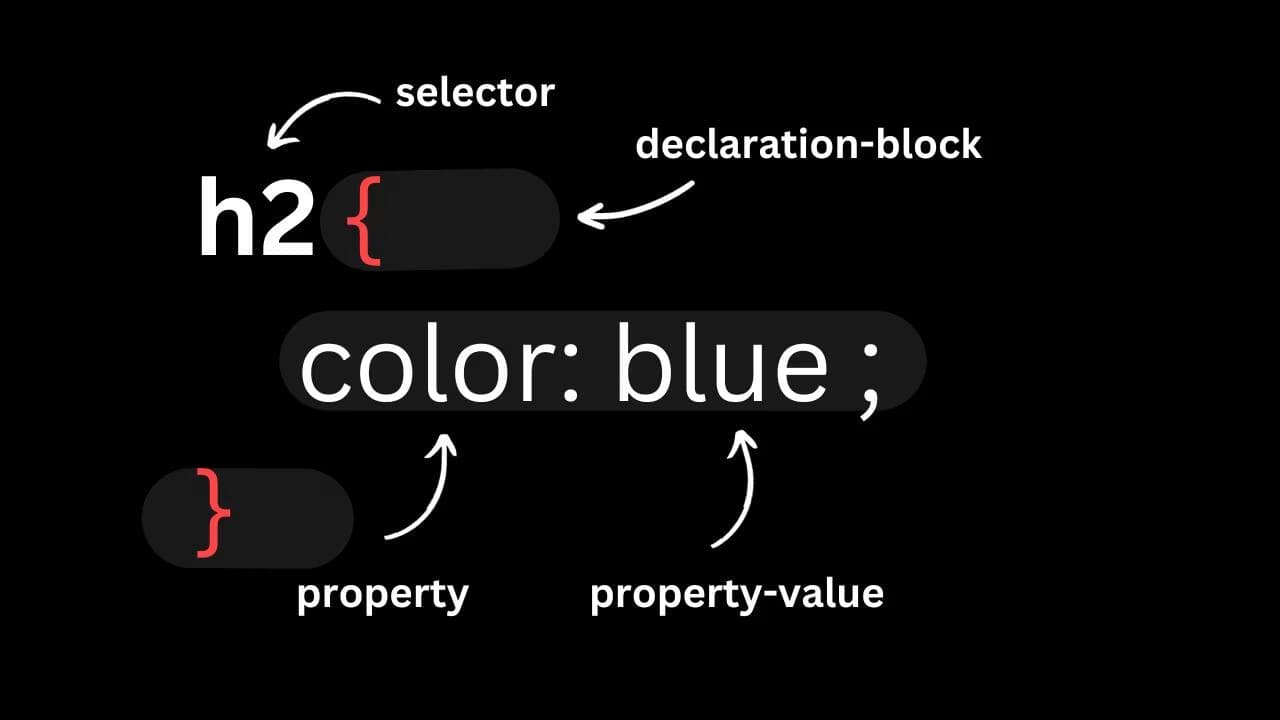
h2 {
  color: blue;
}
In the example:
- h2: h2 is the selector.
- color: It's the property.
- blue: The property value.
Within the declaration block, there can be multiple pairs of properties and values.
Consider the example:
button {
  color: white;
  background-color: black;
  border: transparent;
  border-radius: 5px;
}
Here, 'button' is the selector, and there are multiple pairs of properties and values. Each pair is separated by a semicolon ";".
How is this guide?
March 7th, 2026
CSS Introduction
CSS stands for Cascading Style Sheets. It is a stylesheet language that is used to describe the visual presentation of a web page written in HTML (Hypertext Markup Language).
Ways to add CSS
There are three ways to add CSS in HTML.
© 2026CoderrShyamAll Rights Reserved.