

CSS Introduction
CSS stands for Cascading Style Sheets. It is a stylesheet language that is used to describe the visual presentation of a web page written in HTML (Hypertext Markup Language).
HTML creates the structure of the page, while CSS adds styling to that structure. This tutorial assumes that you have prior knowledge of HTML. If that's not the case, you can follow the HTML Tutorial first.
Why the word cascade
The term cascade refers to the priority scheme determining which CSS rules are applied when multiple rules target an element. This scheme takes into account specificity and inheritance, ensuring that the most specific and latest rules are applied.
Why use CSS
CSS is used to provide styling to HTML elements, making web pages visually appealing and user-friendly.
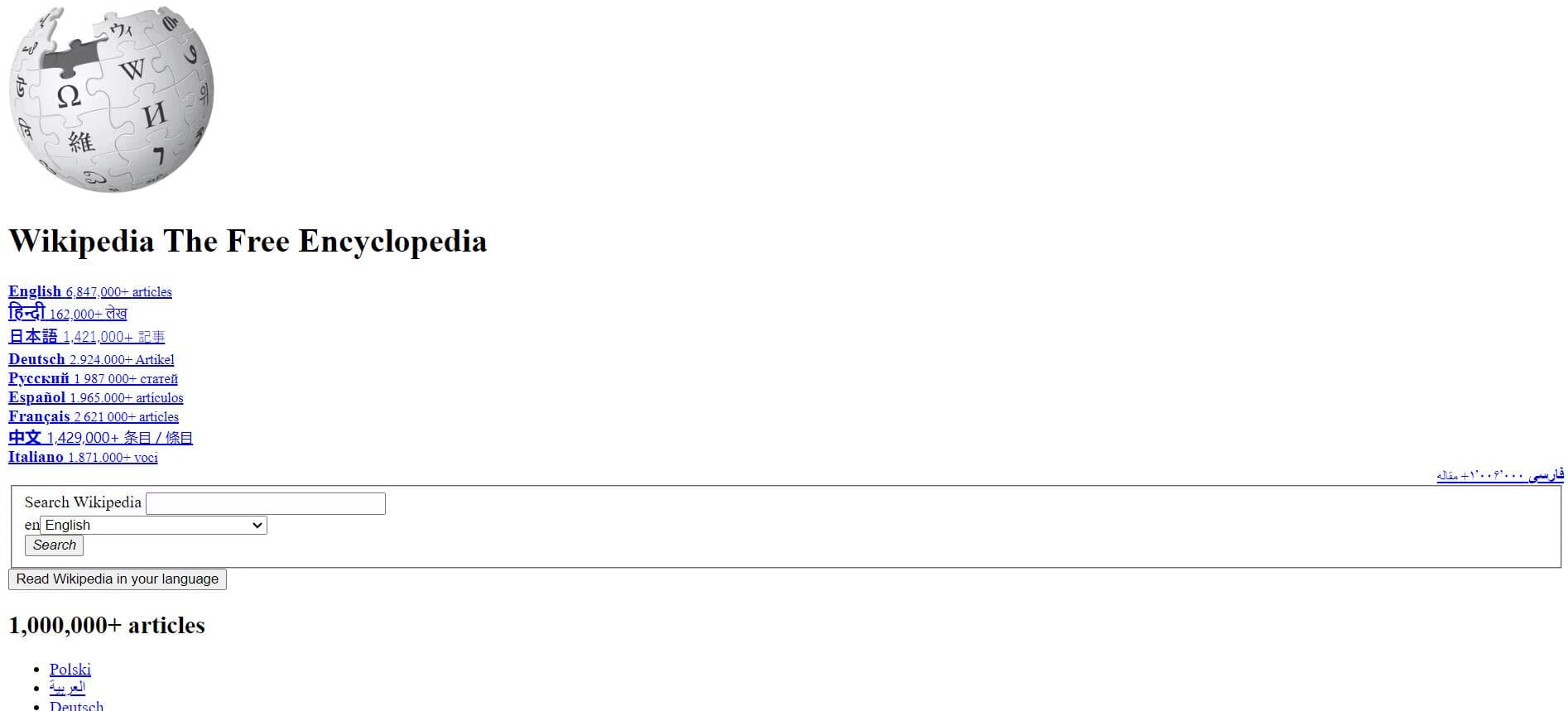
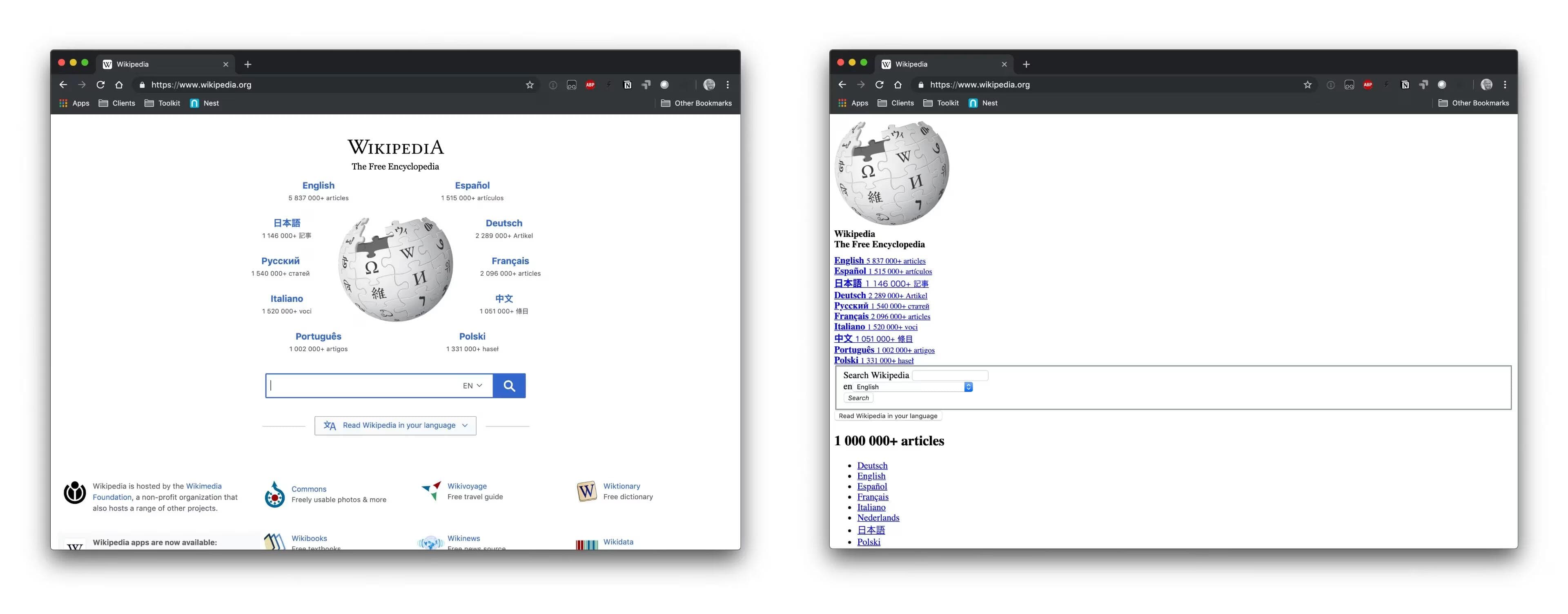
Let us take this HTML page of Wikipedia for example. Here is how it looks without CSS
This is how it looks after adding CSS

You can see the difference CSS makes in the appearance of the page.
Analogy to Understand CSS
Imagine reading a book with only plain text. It's quite dull, isn't it? Now picture a book enriched with different colors, fonts, and styles. That's what CSS does to a webpage.
How does CSS work
CSS operates by selecting HTML elements and applying styles to them. Styles dictate the appearance of elements on a webpage. You can target HTML elements, classes, or IDs, defining properties like colors, fonts, margins, etc.
/* Example of a CSS rule */
selector {
  property: value;
}
Quick Follow-Up Task
- Right-click on the screen and select "Inspect" or press
Ctrl + Shift + C. - Click on the arrow icon in the top-left corner of the inspection pane.
- Select elements on the page to toggle the CSS rules.
Key Features of CSS
- Styles and layouts of web pages.
- Works alongside HTML and XML documents.
- Enables responsive design for different screen sizes.
- Supports interactive effects like hover states and animations.
- CSS is now modularized, with ongoing updates rather than version numbers.
- Allows reusability of the same rules across multiple HTML documents.
A Bit of History
CSS was created by Håkon Wium Lie to enhance the visual aspects of websites. Initially, websites were mainly used by researchers and lacked visual appeal. As websites became more widespread, the need for better design grew.
Important References
- For beginners, start with the HTML tutorial.
- For more insights, check out CSS on Wikipedia.
- For advanced users, the W3C CSS Specifications is a valuable resource.
How is this guide?
March 7th, 2026
CSS FAQs
Frequently asked questions about CSS - common problems, solutions, and best practices for web styling.
CSS Syntax
CSS follows a rule-based structure. Each rule consists of a selector and a declaration block. Selectors pick the HTML elements, while declaration blocks contain pairs of properties and values.
© 2026CoderrShyamAll Rights Reserved.