

HTML Inline Elements
Inline elements in HTML are used to create content that flows within the text. Learn how to use inline elements to add links, images, and other content to your HTML pages.
HTML elements are generally divided into two categories:
- Block-level elements
- Inline elements
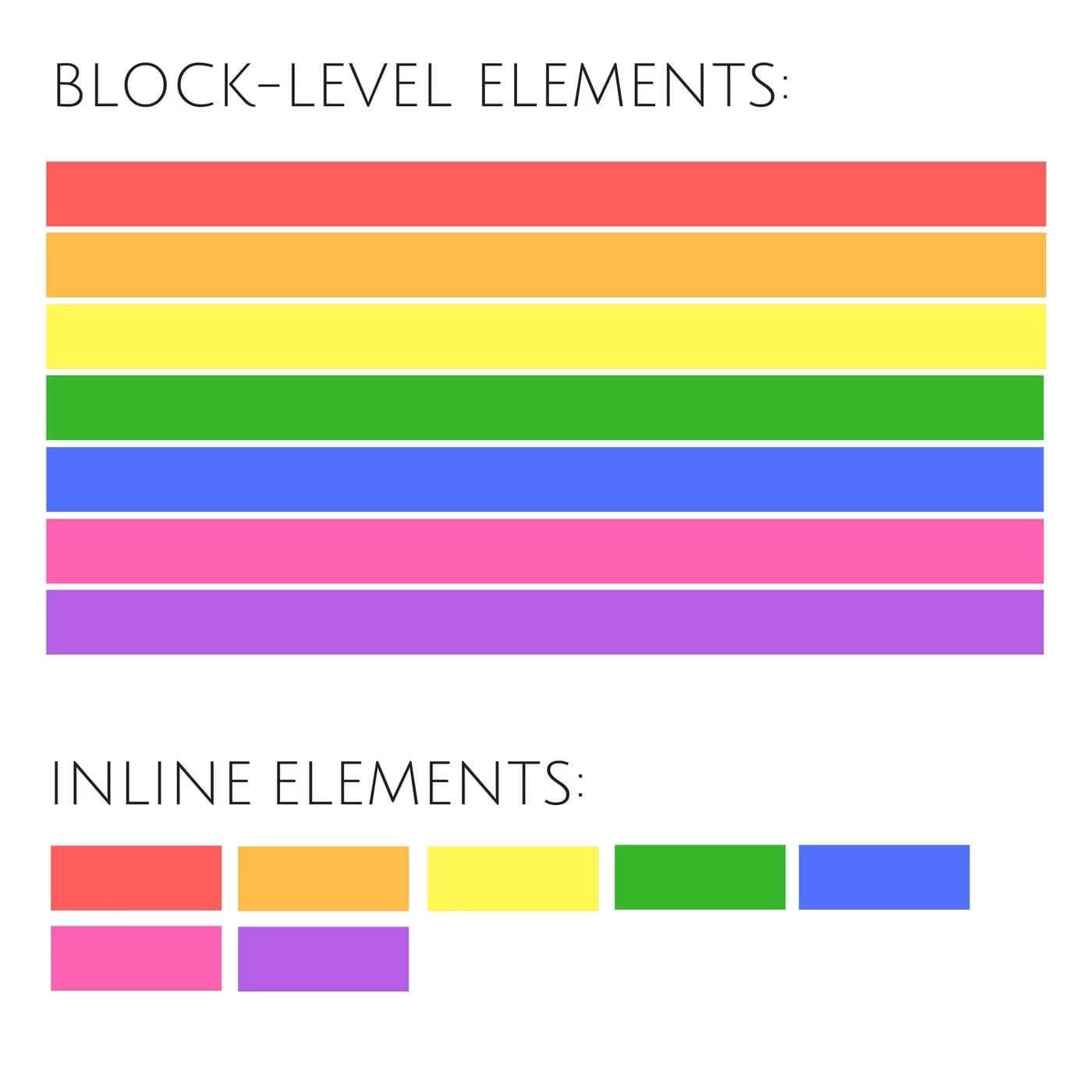
No matter what the width is, block elements will always start on a new line and take up the full available width of their container by default. This means they essentially claim all the horizontal space for themselves, pushing any content that comes after them to a new line. But the inline elements will fit snugly within the flow of other elements, taking up only as much width as their content requires.
What are Inline Elements
Inline elements are used to create content that flows within the text. They do not start on a new line and only take up as much width as necessary. Inline elements are used to style text or add links, images, and other content to your HTML pages.
Here are some examples of inline elements:
<p>This is a paragraph with <strong>strong</strong> and <em>emphasized</em> text.</p>However, placing a block-level element like a <div> or <p> inside an inline element like <span> or <a> is typically considered incorrect HTML and could lead to unexpected behavior in terms of layout and styling.
<!-- This is generally considered incorrect -->
<span
  >This is
  <div>not recommended</div>
  text.</span
>
Common Inline Elements
<span>: A generic inline container for text<a>: Defines a hyperlink<strong>: Defines important text<em>: Defines emphasized text<img>: Embeds an image<input>: Defines an input control
Examples
Here is an example of using inline elements within a paragraph.
This text contains a link, an important text, and an emphasized text.
Styling Inline Elements
You can use CSS to style inline elements. However, some properties like width and height may not apply.
Some more Inline Elements
Here is an exhaustive list of the most used Inline Elements:
<a>- Hyperlink<abbr>- Abbreviation<acronym>- Acronym<button>- Button<br>- Line break<big>- Larger text<bdo>- Bi-directional override<b>- Bold text<cite>- Citation<code>- Inline code<dfn>- Definition term<i>- Italic text<em>- Emphasized text<img>- Image<input>- Input field<kbd>- Keyboard input<label>- Label for form elements<map>- Image map<object>- Embedded object<output>- Output element<tt>- Teletype text (monospaced)<time>- Date/time<samp>- Sample output<script>- Script block<select>- Dropdown list<small>- Smaller text<span>- Inline container<strong>- Strong emphasis (bold)<sub>- Subscript text<sup>- Superscript text<textarea>- Multi-line text input
How is this guide?
March 7th, 2026
HTML Block Elements
Block elements in HTML are used to create content that appears on a new line or in a separate block. Learn how to use block elements to structure your HTML pages and create visually appealing layouts.
HTML Lists
HTML lists are used to organize and display content in a structured manner. Learn how to create ordered, unordered, and description lists in HTML.
© 2026CoderrShyamAll Rights Reserved.